 TecnoOrange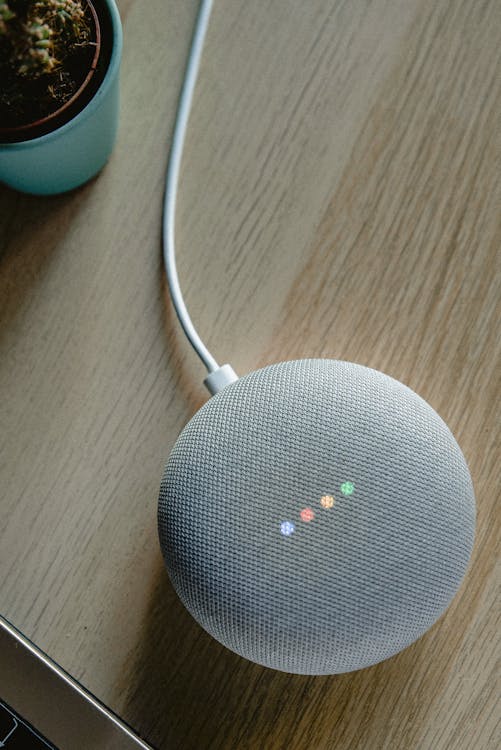
Everyone thinks building a smart home requires thousands of euros and an installation technician. It doesn’t. I’ve set up my cheap smart home using just my phone for less than a dinner for two. With 10-euro smart plugs, a free app, and your Android phone, you can start today. Here’s exactly what to buy and how to set it up, no fluff.
Table of contents
Table of contents
- What you need to get started
- Step 1: Choose your base app
- Step 2: Buy your first smart devices
- Step 3: Set up your first automation
- Step 4: Expand your cheap smart home
- How to control everything from your Android phone
- Cost comparison: how much does it really cost?
- FAQ: Frequently asked questions
- Conclusion
What you need to get started
Before you start shopping, let’s clarify the basics. A cheap smart home with your phone consists of three things:
- Your Android phone as a universal remote
- A free app that controls everything (Google Home or Smart Life)
- Smart devices that connect via WiFi
You don’t need a central hub, you don’t need cables, and you don’t need technical skills. If you can install an app on your phone, you can build your smart home.
Minimum budget to start
| Device | Price | What it does |
|---|---|---|
| Smart plugs x2 | ~€20 | Control lamps, fans, coffee maker |
| Smart bulbs x2 | ~€15 | Adjust lights on/off from phone |
| Temperature sensor | ~€12 | See temperature from anywhere |
| Total | ~€47 | Your first smart home |
Pro-tip: Don’t buy everything at once. Start with 2 smart plugs and a free app. Learn to use them for a week, then expand based on what you actually use most.
Step 1: Choose your base app
Every smart home needs a control center. For a cheap smart home with your Android phone, you have two main options:
Google Home (recommended if you have Android)
- Comes pre-installed on most Android phones
- Compatible with thousands of devices
- Voice control with “Hey Google”
- Free, no subscription
Smart Life / Tuya (recommended for cheap devices)
- Compatible with most budget smart plugs and bulbs
- Simple, straightforward interface
- Basic automations included
- Free
My advice: Install both. Cheap devices from Amazon and AliExpress usually use Smart Life, but you can link Smart Life to Google Home and control everything from one place.
How to link Smart Life with Google Home
- Open Google Home → tap the + sign → “Set up device”
- Select “Works with Google”
- Search for “Smart Life” and connect your account
- All your Smart Life devices will appear in Google Home
Step 2: Buy your first smart devices
Smart plugs (best place to start)
Smart plugs are the perfect entry point. They turn any “dumb” appliance into a smart one.
Recommended brands and real prices:
| Brand | Model | Price | App | Protocol |
|---|---|---|---|---|
| Gosund | SP111/SP112 | ~€8 | Smart Life | WiFi |
| Sonoff | S26/S20 | ~€10 | eWeLink | WiFi |
| TP-Link | Tapo P110 | ~€12 | Tapo | WiFi |
| Xiaomi | Mi Smart Plug | ~€15 | Mi Home | WiFi |
All work without a hub, connect directly via WiFi, and set up in 2 minutes.
Smart bulbs
If you’re only going to buy one type of device, buy smart bulbs. The experience of controlling your lights from bed is addictive.
Budget options:
- Gosund RGB bulb: ~€7, colors and white adjustable
- Yeelight 1S: ~€12, good color quality
- Philips WiZ: ~€10, no hub needed
- Xiaomi Mi LED Smart Bulb: ~€10, white dimmable
Important note: Make sure you buy bulbs with the correct fitting (E27 is most common in Europe, E14 for small lamps). A silly mistake I’ve made more times than I’d like to admit.
Step 3: Set up your first automation
Once you have your smart plugs and bulbs configured, the fun part begins: automations.
Example 1: Good morning routine
In Google Home, create a routine:
- When you say “Hey Google, good morning”:
- Bedroom lights turn on at 50%
- Coffee maker turns on (smart plug)
- It tells you the weather and your schedule
- Play relaxing music
Example 2: Night mode
- When you say “Hey Google, goodnight”:
- All lights turn off
- Fan smart plug turns off
- Phone goes to Do Not Disturb
Example 3: Schedule-based control
- Living room lights turn on automatically at 7 PM
- TV smart plug turns off at midnight
- Outdoor lights turn on at sunset (with light sensor)
How to create a routine in Google Home
- Open Google Home → Automations → + New routine
- Add the trigger (voice, schedule, sensor)
- Add the actions (turn on, off, adjust)
- Save and test
Step 4: Expand your cheap smart home
After a few weeks with basic plugs and bulbs, you can expand without spending much.
Motion sensors
- Xiaomi Mi Motion Sensor: ~€12
- Turns on lights when you enter a room
- Turns everything off when nobody’s there
Smart thermostats
- MOES WiFi Thermostat: ~€25
- Control heating from your phone
- Schedule by day of the week
Smart locks
- Tedee GO: ~€150 (pricier, but once you have it there’s no going back)
- Opens with phone, code, or fingerprint
- Great for Airbnb rentals
Voice assistants
- Amazon Echo Dot: ~€30
- Google Nest Mini: ~€30
- Control everything by voice without touching your phone
How to control everything from your Android phone
The magic of a cheap smart home with your phone is having everything on one screen.
Home screen widgets
- Google Home: add shortcuts to rooms and devices
- Smart Life: widgets for quick on/off
- System shortcuts: create automation shortcuts
Voice control
- “Hey Google, turn off the living room light”
- “Hey Google, set the thermostat to 22 degrees”
- “Alexa, turn on the coffee maker”
Remote access
Both Google Home and Smart Life work outside the house. You can turn off a light you left on from the office. This requires internet, but your phone already has data.
Pro-tip: Set up notifications for sensors. They alert you if a door opens, if there’s motion at home when there shouldn’t be, or if the temperature drops too low. It’s free basic security.
Cost comparison: how much does it really cost?
| Level | Devices | Price | Features |
|---|---|---|---|
| Basic | 2 plugs + 2 bulbs | ~€35 | On/off, schedules |
| Intermediate | + sensors + assistant | ~€80 | Presence-based automations |
| Advanced | + thermostat + camera | ~€150 | Full remote control |
| Complete | + lock + blinds | ~€300+ | A real smart home |
FAQ: Frequently asked questions
Do I need internet for it to work?
For basic WiFi control, yes, but some devices work locally. For remote control away from home, you need mobile data. If the internet goes out, smart plugs still work manually (you can press the physical button).
Does it work if I have an iPhone?
Yes, both Google Home and Smart Life are available on iOS. The experience is practically identical to Android, although voice control with “Hey Google” feels less natural on iPhone.
Can my smart home be hacked?
Like any connected device, there’s minimal risk. Use strong passwords, update firmware, and buy from known brands. The risk is comparable to any WiFi device in your home.
Do smart plugs use electricity?
Smart plugs consume less than 1W on standby. Per year, that’s about 20-30 cents per plug. Ironically, some smart plugs help you save money by automatically turning off appliances.
Conclusion
Setting up a cheap smart home with your phone is easier and cheaper than you think. Start with 2 smart plugs for 16 euros, install Google Home or Smart Life, and set up a basic routine. Within a week, you’ll want to put smart plugs on everything. The key is to start small, learn, and expand gradually. You don’t need thousands of euros or a technician — just your phone, your WiFi, and a little curiosity.